
Navigation Pro: Maps on Watch
Smartwatch StudiosMaps & Navigation
4.61.48K Reviews
- Version
- Varies With Device
- Installs
- 1.00M
- Age Rating
- Everyone
Screenshots

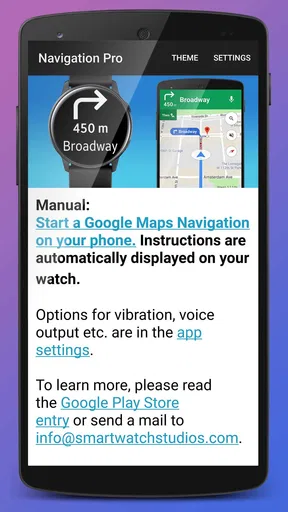
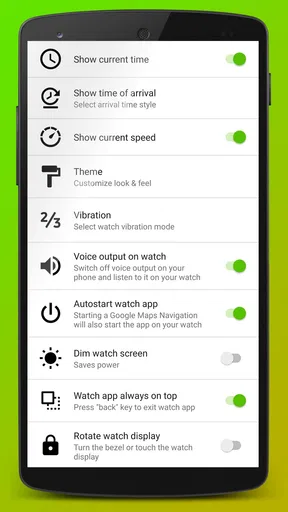
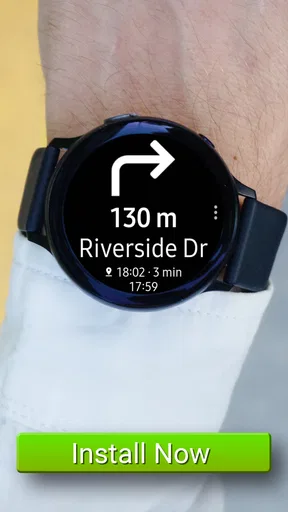
Our Review of Navigation Pro: Maps on Watch
 Analysis by Appyee
I like the idea behind Navigation Pro: Maps on Watch: keep directions on your wrist instead of repeatedly pulling out your phone. That can make a walk through an unfamiliar neighborhood feel less awkward, or help you glance at a prompt while your phone stays tucked away. The app is made by Smartwatch Studios, sits in the maps and navigation category, and costs $2.99. Its Everyone age rating makes it suitable for a broad audience, while its 4.6 average from around 12,000 ratings and more than a million installs suggest it has found a sizeable audience.
Where setup can become the first hurdle
The watch-first idea sounds simple, but this kind of experience depends on more than installing one app: the phone, watch, connection between them and navigation handoff all need to cooperate. If directions do not appear on the watch, I would check that the phone and watch are paired and connected, then make sure navigation is active on the phone. A watch display cannot help much if the phone has not started a route or the devices have lost contact.
I would also test the arrangement at home before relying on it for an unfamiliar journey. Start a short route, keep the phone nearby, and see whether the watch receives the prompts. That quick trial helps distinguish a setup snag from a problem that only appears when you are already outside and in a hurry. Smartwatch compatibility is worth checking for your particular devices rather than assuming every watch behaves the same way.
Checks that make a first trip smoother
Before setting out, confirm that the watch is charged and that the phone has a usable connection to it. Then begin navigation on the phone and give the watch a moment to catch up. If nothing arrives, close and reopen the relevant apps, check the connection again, and restart the route rather than repeatedly tapping at the watch while moving. Those are simple recovery steps, but they are safer and less distracting than troubleshooting at a crossing or behind the wheel.
For a first real outing, choose a route you already know. That gives you a useful comparison: you can tell whether prompts arrive at sensible moments without making the watch your only guide. I would keep the phone accessible as a backup, especially when walking through a complicated interchange or driving somewhere with unfamiliar turns. The watch is best treated as a convenient companion, not a reason to stop paying attention to the surroundings.
Getting Started with Navigation Pro
Installing Navigation Pro: Maps on Watch is a breeze. Just pop over to your app store, download it to your phone, and sync it with your smartwatch. No need to worry about compatibility issues; it supports a range of devices, so you're likely covered. Once installed, the app instantly transforms your smartwatch into a mini GPS powerhouse.
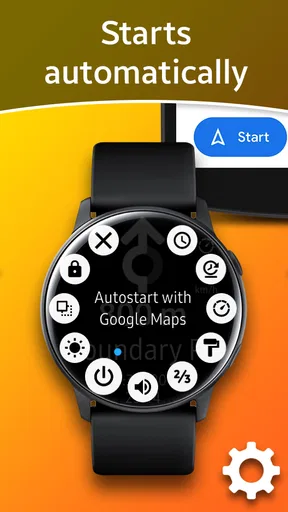
When I first fired it up, I was impressed by how intuitive the interface is. The setup process guided me through connecting my watch with my phone, and before I knew it, I was navigating like a pro. The app pulls directly from Google Maps, so you know you’re getting accurate directions.
Features That Stand Out
One of the standout features of Navigation Pro is the real-time updates. As someone who loves exploring new places, having live traffic alerts is a lifesaver. It seamlessly updates your route if there’s congestion, helping you avoid traffic jams.
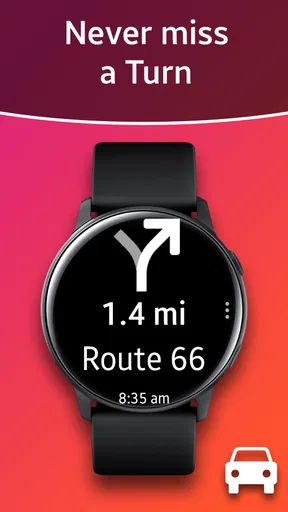
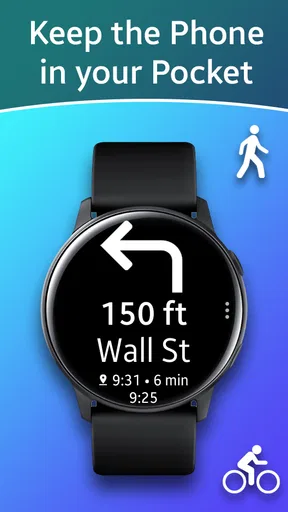
The turn-by-turn navigation feature is pure magic. It vibrates your watch to alert you of upcoming turns, so there’s no need to keep checking your phone. This is especially handy when you’re biking or walking, keeping your hands free and your focus ahead.
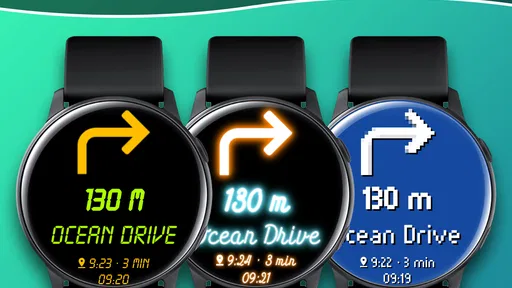
Another feature I adore is the customizable alerts. You can set them up to notify you for specific things, like when you’re near your destination or if there’s a detour ahead. It’s these little details that make a huge difference in navigation.
Keeping a route on track
For a useful test, compare a familiar route on the phone and watch rather than judging the system by a single glance. Notice whether the watch gives you enough warning to prepare for a turn, and whether the prompts remain helpful when you pause, change direction or take a wrong street. If the route seems out of step, check the phone first: its navigation screen is the clearer place to confirm the current route and decide whether to restart guidance.
There is a practical trade-off in keeping the phone in a pocket. It reduces the temptation to stare at a screen, but it also makes the watch dependent on a working phone-to-watch connection and a phone that can continue the navigation session. I would not plan a long trip around the assumption that the watch will independently replace a phone. For a remote walk where connectivity or device pairing is uncertain, a dedicated offline map or a dependable standalone navigation setup is a better fit.
When the interruption is not the app
Navigation can appear to fail when the underlying issue is simply a disconnected watch, an unfinished route, a low battery, or a phone that has lost its connection. If the watch stops showing prompts, I would pause somewhere safe, check whether the phone still displays directions, and then restore the device connection before restarting the route. If the phone itself has no usable navigation, the watch is unlikely to solve that problem on its own.
That distinction matters on the road. A vibration is a reminder, not a substitute for road awareness, and looking down at a watch while cycling or driving can still be distracting. I find the wrist most useful for brief, familiar prompts; when a junction is complex, stopping in a safe place and checking the phone is the more sensible move. In crowded places, too, a prompt may arrive at a moment when looking at either screen is inconvenient.
Choosing the right navigation habit
For a commuter walking from a station to a meeting, the appeal is easy to picture: start the route before leaving, slip the phone away, and use brief watch prompts to stay oriented without holding a map in one hand. On a bike, the same hands-free quality can be useful, although I would still set the route before moving and avoid fiddling with the watch in traffic. Travelers may appreciate having directions close at hand in a busy city, while people who need detailed map browsing or frequent route changes may prefer the larger phone display.
Compared with using Google Maps directly on a phone, the watch approach is about reducing screen handling, not replacing the phone’s larger map view. A phone alone is often easier for comparing streets, checking a complicated destination or recovering from a missed turn. A standalone navigation device may be preferable for drivers who want a dedicated screen, while offline mapping can be a safer choice for areas where a reliable connection is uncertain. Navigation Pro makes the most sense when the watch is already part of your routine and quick prompts are more valuable than a full map on your wrist.
One small habit that helps is preparing before the trip: choose the destination, start guidance, and confirm that the watch is receiving prompts while you are stationary. If you expect to make stops, think about whether you want to keep the route running or begin a fresh one afterward; checking the phone at a safe pause is clearer than trying to infer the route from a prompt you may have missed. This is also a good way to learn how the alerts fit your pace without relying on them blindly.
It is not the right purchase for everyone. If you do not own a compatible smartwatch, rarely navigate on foot, or prefer to study a map in detail, the watch-centered convenience may not justify paying $2.99. It is also a poor choice as your only navigation plan when you need independent guidance away from the phone. But if your devices work well together and you often travel with your phone in a pocket or bag, its focused purpose can make ordinary trips less fiddly.
Why You Should Consider It
If you’re like me and value convenience and functionality, this app is a must-have. The ability to navigate using just your watch is revolutionary, especially if you’re an avid traveler or outdoor enthusiast. It makes getting from point A to point B not only simpler but also more enjoyable.
Plus, the integration with Google Maps means you’re getting the most reliable navigation data out there. The app is regularly updated, so you can expect improvements and new features over time. It’s like having a mini co-pilot on your wrist!
In a world where we rely heavily on technology to get around, having an app like Navigation Pro is essential. It’s a perfect blend of innovation and practicality, making it a staple for anyone who’s on the move.
So, if you’re still juggling your phone while trying to navigate, give Navigation Pro a shot. It’s a delightful, hands-free way to travel, whether you’re exploring new cities or just commuting to work. Believe me, once you try it, you’ll wonder how you ever managed without it!
Verdict
Strengths of Navigation Pro: Maps on Watch
- Seamless smartwatch integration.
- Offline map access available.
- Real-time traffic updates.
- Customizable route options.
- Supports multiple languages.
Limitations of Navigation Pro: Maps on Watch
- Limited free features.
- Occasional GPS inaccuracies.
- Battery drain on long trips.
- Subscription model for premium.
- Requires constant app updates.
Similar Picks in This Category
View All
Uber - Request a ride
Uber Technologies, Inc.4.7


inDrive. Rides with fair fares
® SUOL INNOVATIONS LTD4.8

Yandex Go: Taxi Food Delivery
Mikromobilnost LLC Belgrade4.8

Bolt: Request a Ride
Bolt Technology4.8

Rapido: Bike-Taxi, Auto & Cabs
Rapido Bike Taxi4.8
Frequently Asked Questions
How does Navigation Pro: Maps on Watch integrate with my smartphone?
Navigation Pro: Maps on Watch seamlessly integrates with your smartphone by connecting via Bluetooth. It mirrors your phone's navigation directly onto your smartwatch, allowing you to receive real-time directions and notifications without constantly checking your phone. Ensure both devices have the app installed and are paired properly for optimal performance.
Is Navigation Pro: Maps on Watch compatible with all smartwatch brands?
The app is primarily designed for Android Wear OS and Samsung Galaxy Watch devices. While it may work with other brands, compatibility is not guaranteed. Users should check the app's specifications and reviews to ensure it supports their specific smartwatch model before downloading.
Does using Navigation Pro: Maps on Watch significantly impact battery life?
Yes, using Navigation Pro: Maps on Watch can impact battery life, as it continuously uses GPS and Bluetooth to communicate between devices. To mitigate this, users can adjust settings such as screen timeout and brightness, or use power-saving modes to extend battery life during extended use.
Can I customize the app's navigation alerts and notifications?
Absolutely! Navigation Pro allows you to customize alerts and notifications to suit your preferences. You can choose between vibration patterns, sound alerts, and on-screen notifications. This ensures you receive guidance in a manner that is most convenient and least distracting during your journey.
Is there a subscription fee or in-app purchases involved?
Navigation Pro: Maps on Watch offers a free version with basic features. However, for an enhanced experience, users can opt for a premium version, which may include additional features and customization options. It's advisable to review the app's pricing details and user feedback to determine if the premium version is worth the investment.
